
Index
Dialog server
Because practically all HPC-systems at RRZE use private IP-addresses that can only be reached from within the FAU, the dialog servers are the entry point for customers that want to access the clusters from the outside. Another alternative can be VPN, but that usually is more hassle.
VPN is not available for NHR users.
Login to the dialog-servers is via SSH.
Available servers
cshpc.rrze.fau.de–cshpcis a Linux-System that permits login to all HPC-accounts. A more verbose description of this system can be found below.csnhr.nhr.fau.de–csnhris a Linux-System that permits login to all HPC-accounts. A more verbose description of this system can be found below. This machine will replace cshpc soon. It can already be used, but you should expect things to not be fully ready yet.
cshpc
Various software-packages like e.g. webbrowsers, mail clients, PDF readers or gnuplot are available on cshpc.
The standard filesystems (/home/hpc, /home/vault, $WORK, essentially everything that starts with /home/...) are directly reachable from this system as well, so that you can easily copy data around using scp.
| CPU | 16 x 2,60 GHz (2 x Xeon E5-2650 v2) |
| Memory | 128 GB |
| Operating system | Ubuntu LTS (20.04 as of November 2022) |
| Network connectivity | 2x 10 GBit |
csnhr
Various software-packages like e.g. webbrowsers, mail clients, PDF readers or gnuplot are available on csnhr.
The standard filesystems (/home/hpc, /home/vault, $WORK, essentially everything that starts with /home/...) are directly reachable from this system as well, so that you can easily copy data around using scp. The machine also has a 100 GBit network connection to facilitate that.
As of November 2023, this machine is running Ubuntu LTS 22.04.
Nomachine NX on cshpc
cshpc can also be used as server for Nomachine NX. NX enables use of a graphical desktop environment and applications (e.g. firefox) even over relatively slow connections (e.g. Hotel-Wifi abroad). In addition, it is possible to “park” sessions and resume them from elsewhere later, so in a way it is sort of screen for X. Your detached session keeps on running on the server, and when you reattach it later, all the applications you had open still are open. To use this, you will need the Nomachine Enterprise Client, available for Windows, Linux and MacOS. It can be downloaded for free from the Nomachine website.
The most important settings you will need to make when you create a new connection with the client are: protocol SSH, host cshpc.rrze.fau.de, port 22, Use the system login, Authentication by Password. Alternatively you can open this configuration file in your nomachine-client.
If you have an HPC portal account (i.e., if you do not have a password), you can configure the NoMachine client to use you private SSH key for authentication: Go to “Edit connection -> Configuration,” and select “Use key-based authentication with a key you provide.” Clicking on “Modify” lets you select a private key file.
While it is in principle possible to use Gnome or KDE4/Plasma desktops on cshpc, we do not recommend that. The reason is that these desktops nowadays require hardware 3D acceleration to be bearable, and the remote session cannot offer that, so using them will feel like molasses. In addition, in our experience Plasma crashes randomly at every second click if no 3D acceleration is available. We therefore recommend you use more lightweight desktop-environments like XFCE, or Trinity (KDE3). For the latter, you’ll need to click on “create a new custom session” in the client, and use the following settings:
- Run the following command:
starttde - Run the command in a virtual desktop
Because this system is shared by many users, it should be self-explanatory that you will need to be considerate of other users. Do not attempt to run things sucking up gigabytes of memory or long running calculations there.
Emmy parallel cluster (Tier3)
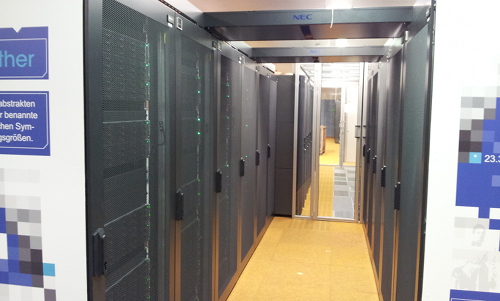
This cluster has been shut down in September 2022.
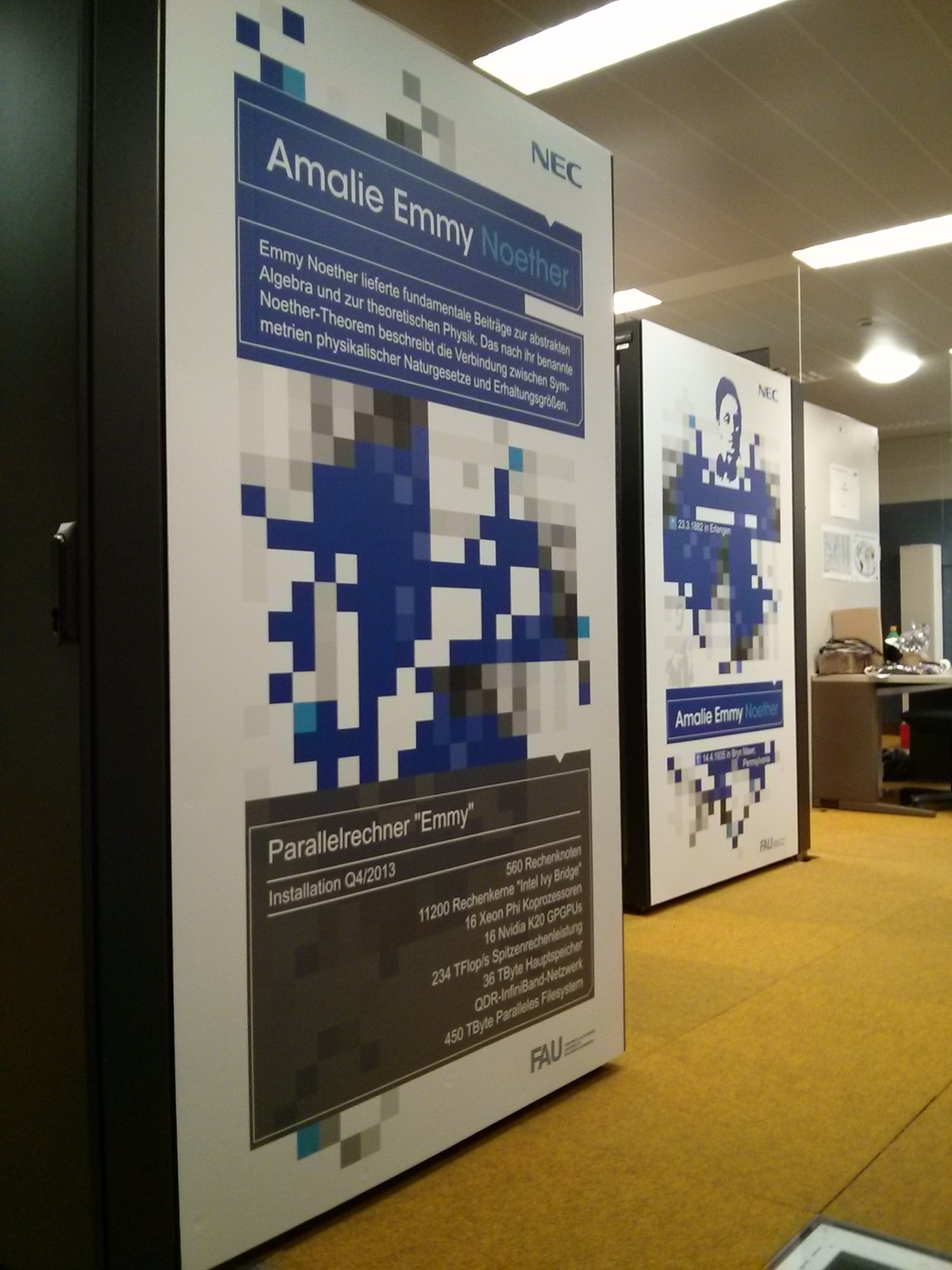
RRZE’s Emmy cluster (NEC) is a high-performance compute resource with high speed interconnect. It is intended for distributed-memory (MPI) or hybrid parallel programs with medium to high communication requirements.
- 560 compute nodes, each with two Xeon 2660v2 “Ivy Bridge” chips (10 cores per chip + SMT) running at 2.2 GHz with 25 MB Shared Cache per chip and 64 GB of RAM
- 2 front end nodes with the same CPUs as the nodes.
16 Nvidia Tesla K20 GPGPUs spread over 10 compute nodes.- 4 Nvidia Tesla V100 (16 GB/PCIe) spread over 4 compute nodes.
- parallel filesystem (LXFS) with a capacity of 400 TB and an aggregated parallel I/O bandwidth of > 7000 MB/s
- fat-tree InfiniBand interconnect fabric with 40 GBit/s bandwidth per link and direction
- overall peak performance of ca. 234 TFlop/s (191 TFlop/s LINPACK, using only the CPUs).
The Emmy cluster is named after famous mathematician Emmy Noether who was born here in Erlangen.
Emmy is a system that is designed for running parallel programs using significantly more than one node. Jobs with less than one node are not supported by RRZE.
This website shows information regarding the following topics:
Access, User Environment, and File Systems
Access to the machine
This cluster has been shut down in September 2022.
Users can connect to emmy.rrze.fau.de by SSH and will be randomly routed to one of the two front ends. All systems in the cluster, including the front ends, have private IP addresses in the 10.28.8.0/22 range. Thus they can only be accessed directly from within the FAU networks. If you need access from outside of FAU, you have to connect for example to the dialog server cshpc.rrze.fau.de first and then ssh to emmy from there. While it is possible to ssh directly to a compute node, a user is only allowed to do this while they have a batch job running there. When all batch jobs of a user on a node have ended, all of their processes, including any open shells, will be killed automatically.
The login and compute nodes run CentOS (which is basically Redhat Enterprise without the support). As on most other RRZE HPC systems, a modules environment is provided to facilitate access to software packages.
Type “module avail” to get a list of available packages.
The shell for all users on Emmy is always bash. This is different from our other clusters and the rest of RRZE, where the shell used to be tcsh unless you had requested it to be changed.
File Systems
The following table summarizes the available file systems and their features. It is only an excerpt from the description of the HPC file systems.
| Mount point | Access via | Purpose | Technology, size | Backup | Data lifetime | Quota |
|---|---|---|---|---|---|---|
/home/hpc |
$HOME |
Storage of source, input and important results | NFS on central servers, small | YES + Snapshots | Account lifetime | YES (restrictive) |
/home/vault |
$HPCVAULT |
Medium- to long-term, high-quality storage | central servers, HSM | YES + Snapshots | Account lifetime | YES |
/home/{woody, saturn, titan, janus, atuin} |
$WORK |
Short- to medium-term storage or small files | central NFS server | NO | Account lifetime | YES |
/elxfs |
$FASTTMP |
High performance parallel I/O; short-term storage
only available for existing legacy users due to stability issues (8/2021) |
LXFS (Lustre) parallel file system via InfiniBand, 400 TB | NO | High watermark deletion; the system is out of warranty since many years! |
NO |
Please note the following differences to our older clusters:
- There is no cluster local NFS server like on previous clusters (e.g. /home/woody)
- The nodes do not have any local hard disc drives like on previous clusters. Exception: The GPU nodes.
/tmplies in RAM, so it is absolutely NOT possible to store more than a few MB of data here
NFS file system $HOME
When connecting to one of the front end nodes, you’ll find yourself in your regular RRZE $HOME directory (/home/hpc/...). There are relatively tight quotas there, so it will most probably be too small for the inputs/outputs of your jobs. It however does offer a lot of nice features, like fine grained snapshots, so use it for “important” stuff, e.g. your job scripts, or the source code of the program you’re working on. See the HPC file systems page for a more detailed description of the features.
Parallel file system $FASTTMP
The cluster’s parallel file system is mounted on all nodes under /elxfs/$GROUP/$USER/ and available via the $FASTTMP environment variable for existing legacy users only (i.e.people who had data on $FASTTMP already before 8/2021). It supports parallel I/O using the MPI-I/O functions and can be accessed with an aggregate bandwidth of >7000 MBytes/sec (and even much larger if caching effects can be used).
The parallel file system is strictly intended to be a high-performance short-term storage, so a high watermark deletion algorithm is employed: When the filling of the file system exceeds a certain limit (e.g. 80%), files will be deleted starting with the oldest and largest files until a filling of less than 60% is reached. Be aware that the normal tar -x command preserves the modification time of the original file instead of the time when the archive is unpacked. So unpacked files may become one of the first candidates for deletion. Use tar -mx or touch in combination with find to work around this. Be aware that the exact time of deletion is unpredictable.
Note that parallel filesystems generally are not made for handling large amounts of small files. This is by design: Parallel filesystems achieve their amazing speed by writing to multiple different servers at the same time. However, they do that in blocks, in our case 1 MB. That means that for a file that is smaller than 1 MB, only one server will ever be used, so the parallel filesystem can never be faster than a traditional NFS server – on the contrary: due to larger overhead, it will generally be slower. They can only show their strengths with files that are at least a few megabytes in size, and excel if very large files are written by many nodes simultaneously (e.g. checkpointing). For that reason, we have set a limit on the number of files you can store there.
Batch processing
This cluster has been shut down in September 2022.
As with all production clusters at RRZE, resources are controlled through a batch system. The front ends can be used for compiling and very short serial test runs, but everything else has to go through the batch system to the cluster.
Please see the batch system description for further details.
The following queues are available on this cluster:
| Queue | min – max walltime | min – max nodes | availability | Comments |
|---|---|---|---|---|
route |
N/A | N/A | all users | Default router queue; sorts jobs into execution queues |
devel |
0 – 01:00:00 | 1 – 8 | all users | Some nodes reserved for queue during working hours |
work |
01:00:01 – 24:00:00 | 1 – 64 | all users | “Workhorse” |
big |
01:00:01 – 24:00:00 | 1 – 560 | special users | Not active all the time as it causes quite some waste. Users can get access for benchmarking or after proving they can really make use of more than 64 nodes with their codes. |
special |
0 – infinity | 1 – all | special users | Direct job submit with -q special |
As full nodes have to be requested, you always need to specify -l nodes=<nnn>:ppn=40 on qsub.
All nodes have properties that you can use to request nodes of a certain type. This is mostly needed to request one of the GPU nodes. You request nodes with a certain property by appending :property to your request, e.g. -l nodes=<nnn>:ppn=40:v100.
The following properties are available:
| Property | Description |
|---|---|
| :v100 | nodes with one NVidia Tesla V100 (16GB) card. 4 nodes qualify |
| :anygpu | nodes with any NVidia GPU. 4 nodes qualify |
Properties can also be used to request a certain CPU clock frequency. This is not something you will usually want to do, but it can be used for certain kinds of benchmarking. Note that you cannot make the CPUs go any faster, only slower, as the default already is the turbo mode, which makes the CPU clock as fast as it can (up to 2.6 GHz) without exceeding its thermal or power budget. So please do not use any of the following options unless you know what you’re doing. The available options are: :noturbo to disable Turbo Mode, :f2.2 to request 2.2 GHz (this is equivalent to :noturbo), :f2.1 to request 2.1 GHz, and so on in 0.1 GHz steps down to :f1.2 to request 1.2 GHz.
To request access to the hardware performance counters (i.e. to use likwid-perfctr), you have to add the property :likwid. Otherwise you will get the error message Access to performance monitoring registers locked from likwid-perfctr. The property is not required (and should also not be used) for other parts of the LIKWID suite, e.g. it is not required for likwid-pin.
MPI
Intel MPI is recommended, but OpenMPI is available, too. For more details on running MPI parallel applications, please refer to the documentation on parallel computing.
Further Information
Intel Xeon E5-2660 v2 “Ivy Bridge” Processor
Intel’s ark lists some technical details about the Xeon E5-2660 v2 processor.
InfiniBand Interconnect Fabric
The InfiniBand network on Emmy is a quad data rate (QDR) network, i.e. the links run at 40 GBit/s in each direction. This is identical to the network on LiMa. The network is fully non blocking, i.e. the backbone is capable of handling the maximum amount of traffic coming in through the client ports without any congestion. However, due to the fact that InfiniBand still uses static routing, i.e. once a route is established between two nodes it doesn’t change even if the load on the backbone links changes, it is possible to generate traffic patterns that will cause congestion on individual links. This is however not likely to happen on normal user jobs.
Systems, Documentation & Instructions
The HPC group of RRZE – or now NHR@FAU – operates a number of clusters and related systems mainly for scientists at FAU.
Beginning in January 2021, the HPC group of RRZE became NHR@FAU. With the rebranding, we have been opening our (new) systems also nationwide for NHR users, i.e. scientists from any German university. See NHR@FAU application rules for details on national access. Also FAU researcher with demands beyond the free basic Tier3 resources have to apply link people form outside for NHR resources.
Support offerings, especially in the area of performance engineering and atomistic simulations, also start early in 2021 for national customers. Also see the Teaching&Training section.
Getting started
If you are new to HPC and want to know about the different clusters, how to log in, transfer files and run jobs, please refer to our Getting Started Guide.
HPC Clusters
The following table lists the available clusters and their key properties. To get further information about each cluster, click on the cluster name in the first column.
| Cluster name | #nodes | target applications | Parallel filesystem |
Local storage |
description |
|---|---|---|---|---|---|
| NHR&Tier3 parallel cluster (“Fritz“) |
992 | massively parallel | Yes | very limited | dual-socket nodes with Intel IceLake processors (72 cores and 256 GB per node) and HDR100 interconnect Plus some additional nodes with 1 or 2 TB of main memory. Access to this cluster is restricted. |
| NHR&Tier3 GPGPU cluster (“Alex“) |
82 | GPGPU applications | limited | Yes | 304 Nvidia A100 and 352 Nvidia A40 GPGPUs.
Access to this cluster will is restricted. |
| Meggie (Tier3) | 728 | parallel | no longer | No | This is the current main cluster for parallel jobs, intended for parallel jobs. |
| The system has been retired in September 2022. | |||||
| The system has been retired in December 2018. | |||||
| Woody (Tier3) | 288 | single-node throughput | No | Yes | Cluster with fast (single- and dual-socket) CPUs for serial throughput workloads. |
| The system has been retired end of November 2021. | |||||
| TinyGPU (Tier3) | 35 nodes 168 GPUs |
GPGPU | No | Yes (SSDs) | The nodes in this cluster are equipped with different types and generations of NVIDIA GPUs. Access restrictions / throttling policies may apply. |
| TinyFat (Tier3) | 47 | large memory requirements | No | Yes (SSDs) | This cluster is for applications that require large amounts of memory. Each node has 256 or 512 gigabytes of main memory. |
If you’re unsure about which systems to use, feel free to contact the HPC group.
Other HPC systems at RRZE
Dialog server
This machine can be used as an access portal to reach the rest of the HPC systems from outside the university network. This is necessary, because most of our HPC systems are in private IP address ranges that can only be reached directly from inside the network of the FAU
HPC Testcluster
The HPC Testcluster consists of a diversity of systems (countless X86 variants, ARM, NEC Aurora/Tsubasa, …) intended for benchmarking and software testing. Contact the HPC group for details. Access to certain machines may be restricted owing to NDA agreements.
HPC software environment
The software environment available on RRZE’s HPC systems has been made as uniformly as possible, in order to allow users to change between clusters without having to start from scratch. Documentation for this environment can be found under HPC environment.
Access to external (national) HPC systems
LRZ systems
Users that require huge amounts of computing power can also apply to use the HPC systems of the “Leibniz-Rechenzentrum der Bayerischen Akademie der Wissenschaften” in Garching near Munich.
- The LRZ Linux Cluster is open for all Bavaria and access requires only very little paper work.
- Access to SuperMUC-NG requires a scientific project proposal like all national HPC systems.
Federal systems at HLRS and JSC
Access to the national supercomputers at HLRS (High Performance Computing Center Stuttgart) or JSC (Jülich Supercomputing Centre) requires a scientific proposal similar to SuperMUC at LRZ. Depending on the size of the project, the proposals have to be submitted locally at HLRS / JSC or through large-scale calls of GCS (Gauss Center for Supercomputing).
Other NHR centers
NHR@FAU is not the only NHR center; there are 8 more. See https://www.nhr-verein.de/rechnernutzung. Each center has its own scientific and application focus – but all serve researchers from universities all over Germany.